Budget However You're Structured
Set budgets by project, department, cost center, or any mix that matches how your business actually works.
Project
Department
Cost center
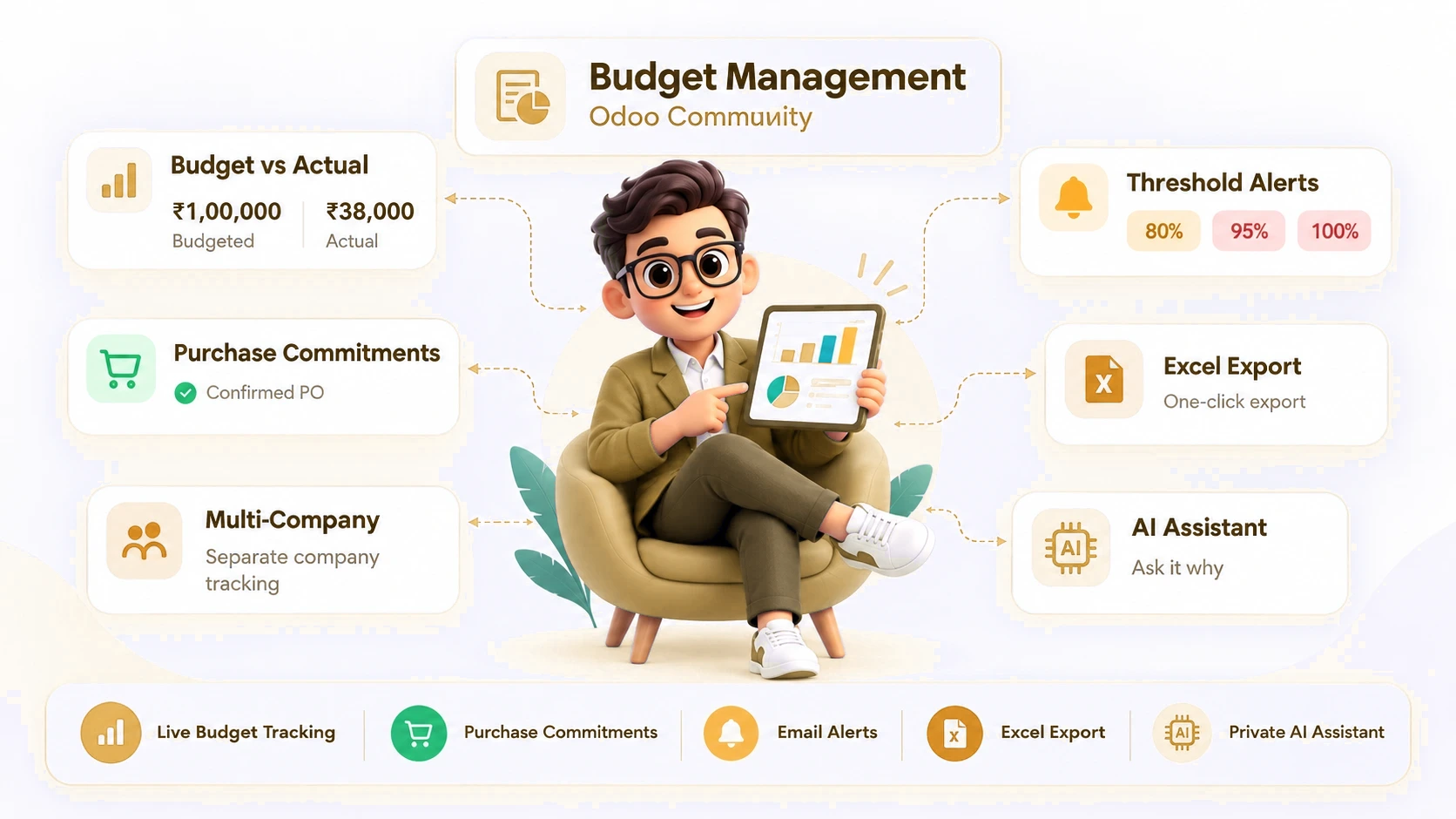
Take full control of company spending without leaving Odoo Community. See exactly what's been spent against every budget, know the moment a purchase order puts you at risk of going over, and get an email warning before the money is gone - not after. An optional AI assistant, running privately on your own server, can even explain why a budget looks the way it does, in plain English.
Take full control of company spending without leaving Odoo Community. See exactly what's been spent against every budget, know the moment a purchase order puts you at risk of going over, and get an email warning before the money is gone - not after. An optional AI assistant, running privately on your own server, can even explain why a budget looks the way it does, in plain English.
Solid = Actual (billed). Striped = Committed (confirmed, not yet billed).
Try it: confirm a purchase order and watch it count against the budget straight away.

Track budget vs. actual in real time from the same dashboard, with drill-through to the transactions behind every figure - no month-end reconciliation.
Set budgets by project, department, cost center, or any mix that matches how your business actually works.
See today's real spending the moment it's posted - no exporting to Excel, no month-end reconciliation, no guessing.
A confirmed purchase order counts against the budget straight away - not weeks later when the bill finally arrives.
See exactly where you stand at a glance, and click any number or chart to jump straight to the transactions behind it.
The budget owner is emailed automatically at 80%, 95% and 100% of budget - before the money is gone, not after.
Get a plain-English answer whenever a budget looks off, right on your dashboard - it runs on your own server, so your numbers never leave the company.
Everything runs on Odoo Community - no upgrade, no extra license.
Send finance a clean budget-vs-actual spreadsheet without building it by hand.
Every company sets up its own AI connection and budgets, independently.
Budgeted, Committed, Actual and Available at a glance, with a one-click filter for period and status - and an alert the moment anything is over budget or spending faster than the calendar allows.
Below the KPIs: a spending-pace chart showing Actual against what the calendar says should have been spent, a Budgeted vs Actual breakdown by dimension, and the flow that explains exactly how a confirmed purchase order becomes Committed, then Actual once it's billed - never both at once.
Every over-budget or ahead-of-schedule line, worst first - click through to the transactions behind it, or click the AI icon to ask why.
Two leaks every other report misses: spending tagged to an account no budget line covers, and posted expenses with no analytic tag at all - invisible to every budget report until now.
A resizable chat pane, scoped to exactly the budgets on screen, with a history of past conversations. Ask "Which budgets are over?" and get an answer grounded only in the real figures - never an invented number.
One toggle and a server URL - point it at your own local Ollama server (optionally behind HTTP Basic Auth) and your budget data never leaves your network. Leave it off and every AI panel still works, just showing the figures directly.
Budgeted, Committed, Actual and Available at a glance, with a one-click filter for period and status - and an alert the moment anything is over budget or spending faster than the calendar allows.
assets/screenshots/skit_budget_1_dashboard_kpi.png
Below the KPIs: a spending-pace chart showing Actual against what the calendar says should have been spent, a Budgeted vs Actual breakdown by dimension, and the flow that explains exactly how a confirmed purchase order becomes Committed, then Actual once it's billed - never both at once.
assets/screenshots/skit_budget_2_dashboard_charts.png
Every over-budget or ahead-of-schedule line, worst first - click through to the transactions behind it, or click the AI icon to ask why.
assets/screenshots/skit_budget_3_needs_attention.png
Two leaks every other report misses: spending tagged to an account no budget line covers, and posted expenses with no analytic tag at all - invisible to every budget report until now.
assets/screenshots/skit_budget_4_unbudgeted_spend.png
A resizable chat pane, scoped to exactly the budgets on screen, with a history of past conversations. Ask "Which budgets are over?" and get an answer grounded only in the real figures - never an invented number.
assets/screenshots/skit_budget_5_ai_chat.png
One toggle and a server URL - point it at your own local Ollama server (optionally behind HTTP Basic Auth) and your budget data never leaves your network. Leave it off and every AI panel still works, just showing the figures directly.
assets/screenshots/skit_budget_6_ai_settings.png
Budgeted, Committed, Actual and Available at a glance, with a one-click filter for period and status - and an alert the moment anything is over budget or spending faster than the calendar allows.
assets/screenshots/skit_budget_1_dashboard_kpi.png
Below the KPIs: a spending-pace chart showing Actual against what the calendar says should have been spent, a Budgeted vs Actual breakdown by dimension, and the flow that explains exactly how a confirmed purchase order becomes Committed, then Actual once it's billed - never both at once.
assets/screenshots/skit_budget_2_dashboard_charts.png
Every over-budget or ahead-of-schedule line, worst first - click through to the transactions behind it, or click the AI icon to ask why.
assets/screenshots/skit_budget_3_needs_attention.png
Two leaks every other report misses: spending tagged to an account no budget line covers, and posted expenses with no analytic tag at all - invisible to every budget report until now.
assets/screenshots/skit_budget_4_unbudgeted_spend.png
A resizable chat pane, scoped to exactly the budgets on screen, with a history of past conversations. Ask "Which budgets are over?" and get an answer grounded only in the real figures - never an invented number.
assets/screenshots/skit_budget_5_ai_chat.png
One toggle and a server URL - point it at your own local Ollama server (optionally behind HTTP Basic Auth) and your budget data never leaves your network. Leave it off and every AI panel still works, just showing the figures directly.
assets/screenshots/skit_budget_6_ai_settings.png
Budgeted, Committed, Actual and Available at a glance, with a one-click filter for period and status - and an alert the moment anything is over budget or spending faster than the calendar allows.
assets/screenshots/skit_budget_1_dashboard_kpi.png
Below the KPIs: a spending-pace chart showing Actual against what the calendar says should have been spent, a Budgeted vs Actual breakdown by dimension, and the flow that explains exactly how a confirmed purchase order becomes Committed, then Actual once it's billed - never both at once.
assets/screenshots/skit_budget_2_dashboard_charts.png
Every over-budget or ahead-of-schedule line, worst first - click through to the transactions behind it, or click the AI icon to ask why.
assets/screenshots/skit_budget_3_needs_attention.png
Two leaks every other report misses: spending tagged to an account no budget line covers, and posted expenses with no analytic tag at all - invisible to every budget report until now.
assets/screenshots/skit_budget_4_unbudgeted_spend.png
A resizable chat pane, scoped to exactly the budgets on screen, with a history of past conversations. Ask "Which budgets are over?" and get an answer grounded only in the real figures - never an invented number.
assets/screenshots/skit_budget_5_ai_chat.png
One toggle and a server URL - point it at your own local Ollama server (optionally behind HTTP Basic Auth) and your budget data never leaves your network. Leave it off and every AI panel still works, just showing the figures directly.
assets/screenshots/skit_budget_6_ai_settings.png
Budgeted, Committed, Actual and Available at a glance, with a one-click filter for period and status - and an alert the moment anything is over budget or spending faster than the calendar allows.
assets/screenshots/skit_budget_1_dashboard_kpi.png
Below the KPIs: a spending-pace chart showing Actual against what the calendar says should have been spent, a Budgeted vs Actual breakdown by dimension, and the flow that explains exactly how a confirmed purchase order becomes Committed, then Actual once it's billed - never both at once.
assets/screenshots/skit_budget_2_dashboard_charts.png
Every over-budget or ahead-of-schedule line, worst first - click through to the transactions behind it, or click the AI icon to ask why.
assets/screenshots/skit_budget_3_needs_attention.png
Two leaks every other report misses: spending tagged to an account no budget line covers, and posted expenses with no analytic tag at all - invisible to every budget report until now.
assets/screenshots/skit_budget_4_unbudgeted_spend.png
A resizable chat pane, scoped to exactly the budgets on screen, with a history of past conversations. Ask "Which budgets are over?" and get an answer grounded only in the real figures - never an invented number.
assets/screenshots/skit_budget_5_ai_chat.png
One toggle and a server URL - point it at your own local Ollama server (optionally behind HTTP Basic Auth) and your budget data never leaves your network. Leave it off and every AI panel still works, just showing the figures directly.
assets/screenshots/skit_budget_6_ai_settings.png
Budgeted, Committed, Actual and Available at a glance, with a one-click filter for period and status - and an alert the moment anything is over budget or spending faster than the calendar allows.
assets/screenshots/skit_budget_1_dashboard_kpi.pngBelow the KPIs: a spending-pace chart showing Actual against what the calendar says should have been spent, a Budgeted vs Actual breakdown by dimension, and the flow that explains exactly how a confirmed purchase order becomes Committed, then Actual once it's billed - never both at once.
assets/screenshots/skit_budget_2_dashboard_charts.pngEvery over-budget or ahead-of-schedule line, worst first - click through to the transactions behind it, or click the AI icon to ask why.
assets/screenshots/skit_budget_3_needs_attention.pngTwo leaks every other report misses: spending tagged to an account no budget line covers, and posted expenses with no analytic tag at all - invisible to every budget report until now.
assets/screenshots/skit_budget_4_unbudgeted_spend.pngA resizable chat pane, scoped to exactly the budgets on screen, with a history of past conversations. Ask "Which budgets are over?" and get an answer grounded only in the real figures - never an invented number.
assets/screenshots/skit_budget_5_ai_chat.pngOne toggle and a server URL - point it at your own local Ollama server (optionally behind HTTP Basic Auth) and your budget data never leaves your network. Leave it off and every AI panel still works, just showing the figures directly.
assets/screenshots/skit_budget_6_ai_settings.pngEverything runs on Odoo Community - no upgrade, no extra license.
Send finance a clean budget-vs-actual spreadsheet without building it by hand.
Every company sets up its own AI connection and budgets, independently.